
For small nonprofits that track grants in a spreadsheet
Never miss a grant deadline or report
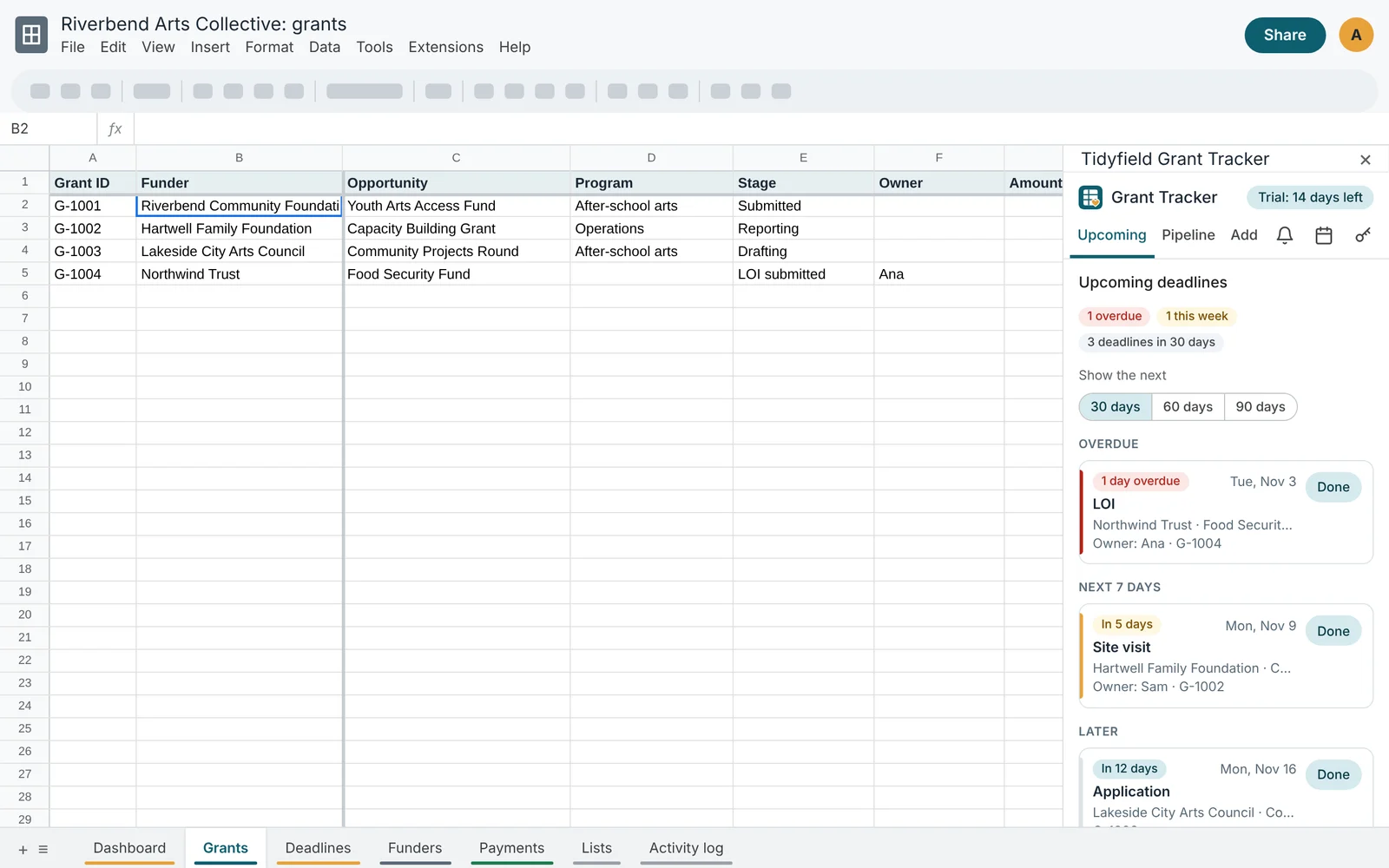
Tidyfield Grant Tracker turns a Google Sheet into a grant pipeline with every deadline and report in one place, a daily reminder email for your team, and a Google Calendar of due dates that stays up to date by itself.
No card for the trial. Works with any Google account. Then $8 a month or $79 a year per organization.
What you get
The spreadsheet you already use, with the upkeep done for you
One pipeline
Every opportunity from prospect to closed, with amounts, probability, weighted value, fiscal year and the next deadline worked out for you.
Every deadline and report
LOIs, applications, interim and final reports, renewals and site visits. Add a whole award period's reports in one click.
A daily reminder email
Overdue items and anything due soon, grouped by grant, sent to your team at the hour you pick. Nothing is sent on quiet days.
A shared calendar
Open deadlines appear as all-day events in a Google Calendar your team can subscribe to. Done items drop off by themselves.
A dashboard
Open and weighted pipeline, awards this fiscal year, win rate, reports due and top funders, built from live formulas.
Bring your old tracker
Import from any tab: columns are matched for you, statuses become stages, and grants already in the tracker are skipped.
How it works
Three steps, about five minutes
Make your copy
Click Get your copy. Google makes a copy of the Tidyfield Grant Tracker spreadsheet in your Drive, script included.
Set up
Open Extensions > Tidyfield Grant Tracker > Open sidebar, allow the script, and click Set up. Add the example grants if you want to see how it fits together.
Turn on reminders
Add your grants and deadlines, then switch on the daily email and the shared calendar. They run on their own, even when the spreadsheet is closed.
Pipeline
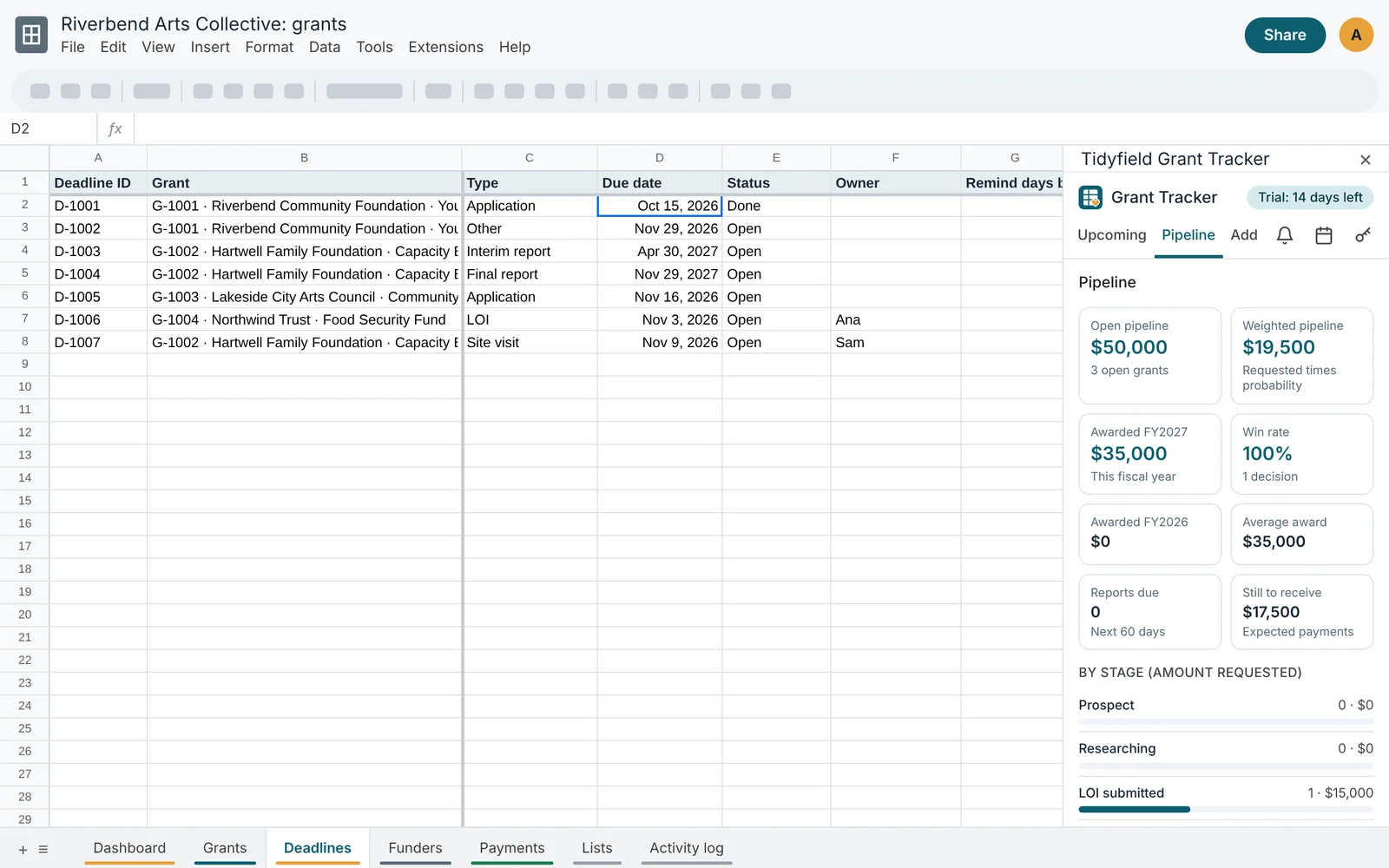
See where every application stands
- Ten stages from Prospect to Closed, which you can rename or extend
- Submitted and decision dates stamped when the stage changes
- Weighted pipeline from each stage's typical probability
- Win rate and awards by fiscal year, with your own fiscal year start
Reports
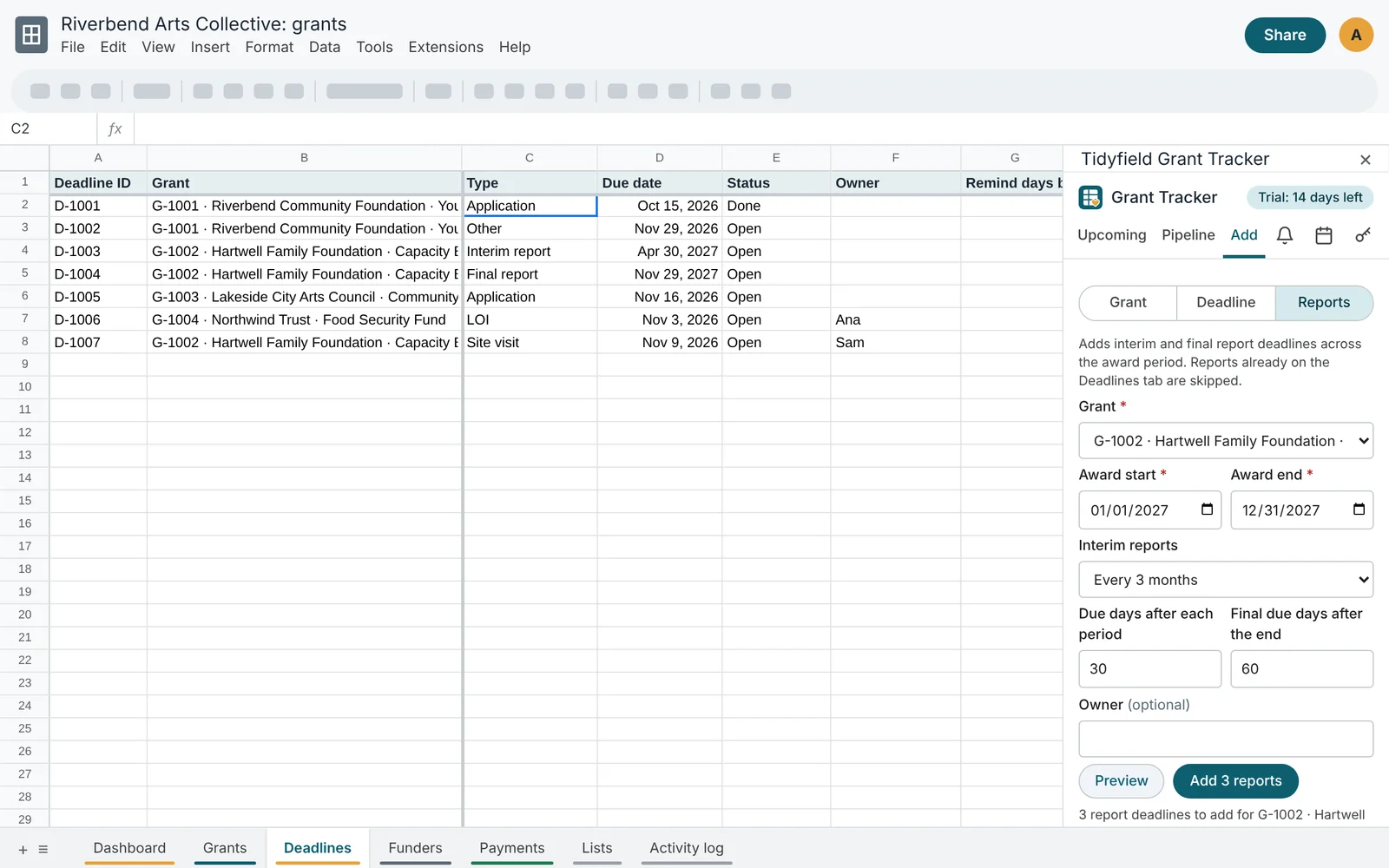
A year of report deadlines in one click
Pick the grant, the award dates and how often the funder wants a report. Grant Tracker adds every interim report and the final report to the Deadlines tab, with the due dates the funder expects. Reports already there are skipped, so you can run it again safely.
Reminders
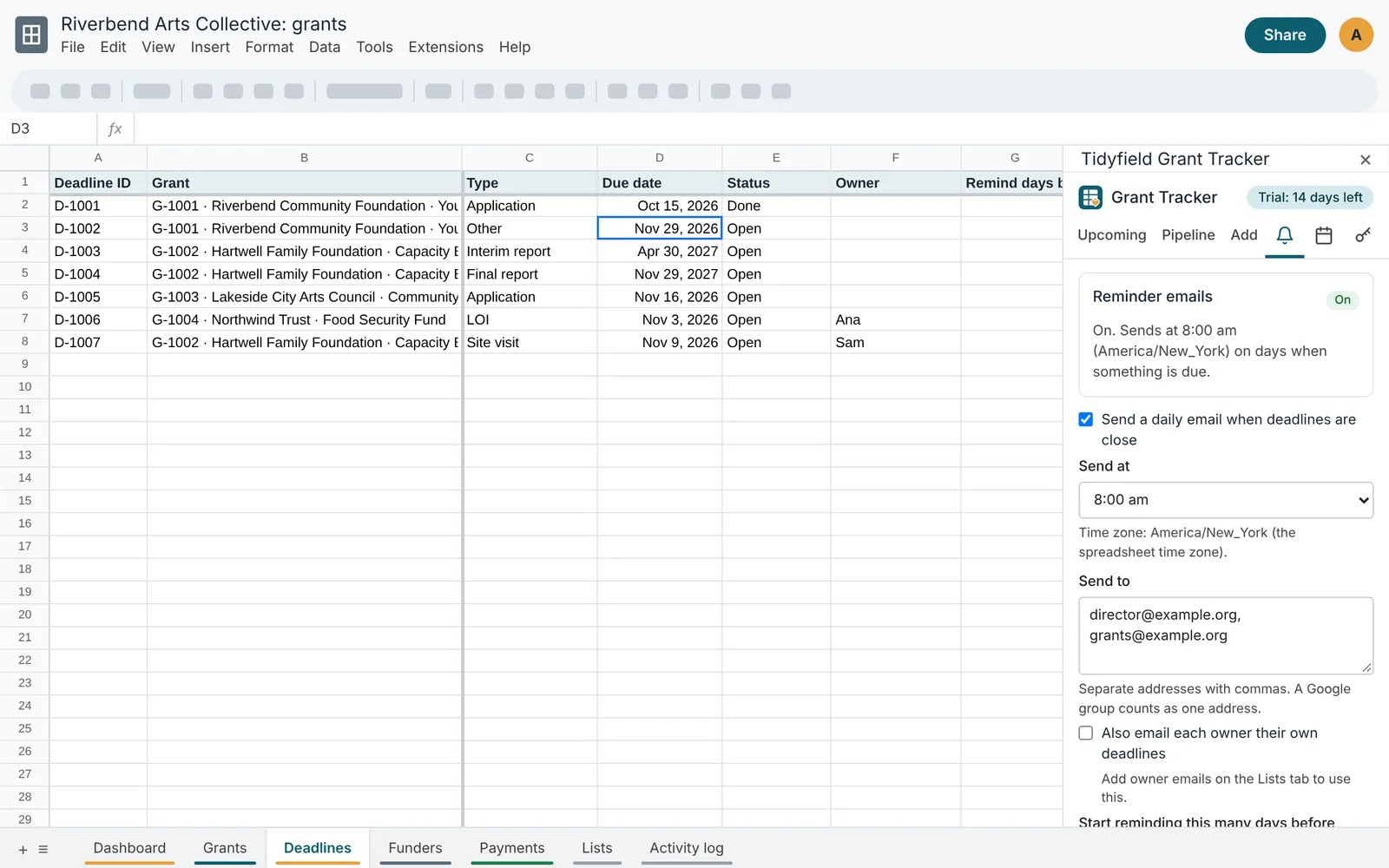
Your team hears about deadlines before they are late
Each morning at the hour you choose, Grant Tracker emails everyone on your list about overdue items and deadlines inside their reminder window. Owners can get only their own items. Every deadline can have its own lead time, so a big application can start reminding a month ahead.
Privacy
Your grant data stays in your Google account
Your copy of the spreadsheet runs its own script in your Google account. Tidyfield has no server in between and never sees your grants, funders or emails. The calendar it creates is a separate calendar; it cannot read or change your own calendars.
You can read every line of the code under Extensions > Apps Script. Privacy policy
An honest note
Google shows a warning the first time
Because your copy of the script belongs to you and is not a Google Marketplace app, Google shows "Google hasn't verified this app" when you first allow it. That is expected. Click Advanced, then Go to Tidyfield Grant Tracker, review what it asks for, and allow it.
Simple pricing
$8 a month or $79 a year per organization, after a 14-day free trial in your copy. One license covers up to 3 spreadsheets. After the trial your tabs, formulas and dashboard keep working without a license; reminders, the calendar and the sidebar forms need one.
Prefer a plain spreadsheet with no script? The Grant Tracker spreadsheet template is a one-time $19 download for Excel and Google Sheets.